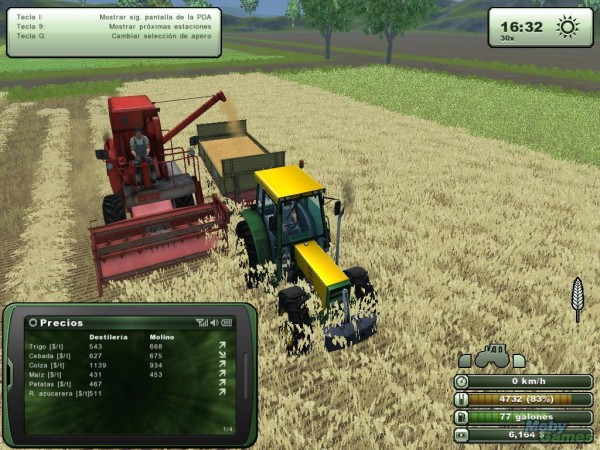
Farming Simulator 2013 è un videogioco gestionale sviluppato e pubblicato da Giants e Focus Home Interactive. Si tratta del quarto capitolo di questa serie, è disponibile anche per PlayStation Vita oltre che per PC e Mac, mentre le versioni Xbox 360 e PS3 saranno rese disponibili a settembre 2013.
Farming Simulator 2013 riproduce fedelmente la vita di campagna e dei contadini, nella nuova versione debuttano nuovi veicoli agricoli, nuovi animali da allevare, nuove coltivazioni ed anche nuove locations. In più è presente una modalità online che consente agli utenti di creare e condividere veicoli, equipaggiamenti e attrezzi sfruttando la funzione di creazione in-game. Qui vediamo i trucchi disponibili in Farming Simulator 2013.
► TROFEI FARMING SIMULATOR 2013
Riempire tutte le trincee del biogas
Bisogna andare in Documenti/My Games/FarmingSimulator2013/Savegames ed aprire il file vehicles, quindi individuare questo codice:
<onCreateLoadedObject id=”3″ state=”0″ compactedFillLevel=”0″ fermentingTime=”0″ silagePlaneMoveAlpha=”0″ silagePlaneMoveAlphaMax=”1″>
<movingPlane1 fillLevel=”0″ />
<movingPlane2 fillLevel=”0″ />
<movingPlane3 fillLevel=”0″ />
<movingPlane4 fillLevel=”0″ />
<movingPlane5 fillLevel=”0″ />
<movingPlane6 fillLevel=”0″ />
<movingPlane7 fillLevel=”0″ />
<movingPlane8 fillLevel=”0″ />
<movingPlane9 fillLevel=”0″ />
<movingPlane10 fillLevel=”0″ />
<movingPlane11 fillLevel=”0″ />
<movingPlane12 fillLevel=”0″ />
<movingPlane13 fillLevel=”0″ />
<movingPlane14 fillLevel=”0″ />
<movingPlane15 fillLevel=”0″ />
</onCreateLoadedObject>
<onCreateLoadedObject id=”4″ state=”0″ compactedFillLevel=”0″ fermentingTime=”0″ silagePlaneMoveAlpha=”0″ silagePlaneMoveAlphaMax=”1″>
<movingPlane1 fillLevel=”0″ />
<movingPlane2 fillLevel=”0″ />
<movingPlane3 fillLevel=”0″ />
<movingPlane4 fillLevel=”0″ />
<movingPlane5 fillLevel=”0″ />
<movingPlane6 fillLevel=”0″ />
<movingPlane7 fillLevel=”0″ />
<movingPlane8 fillLevel=”0″ />
<movingPlane9 fillLevel=”0″ />
<movingPlane10 fillLevel=”0″ />
<movingPlane11 fillLevel=”0″ />
<movingPlane12 fillLevel=”0″ />
<movingPlane13 fillLevel=”0″ />
<movingPlane14 fillLevel=”0″ />
<movingPlane15 fillLevel=”0″ />
</onCreateLoadedObject>
<onCreateLoadedObject id=”5″ state=”0″ compactedFillLevel=”0″ fermentingTime=”0″ silagePlaneMoveAlpha=”0″ silagePlaneMoveAlphaMax=”1″>
<movingPlane1 fillLevel=”0″ />
<movingPlane2 fillLevel=”0″ />
<movingPlane3 fillLevel=”0″ />
<movingPlane4 fillLevel=”0″ />
<movingPlane5 fillLevel=”0″ />
<movingPlane6 fillLevel=”0″ />
<movingPlane7 fillLevel=”0″ />
<movingPlane8 fillLevel=”0″ />
<movingPlane9 fillLevel=”0″ />
<movingPlane10 fillLevel=”0″ />
<movingPlane11 fillLevel=”0″ />
<movingPlane12 fillLevel=”0″ />
<movingPlane13 fillLevel=”0″ />
<movingPlane14 fillLevel=”0″ />
<movingPlane15 fillLevel=”0″ />
</onCreateLoadedObject>
<onCreateLoadedObject id=”6″ state=”0″ compactedFillLevel=”0″ fermentingTime=”0″ silagePlaneMoveAlpha=”0″ silagePlaneMoveAlphaMax=”1″>
<movingPlane1 fillLevel=”0″ />
<movingPlane2 fillLevel=”0″ />
<movingPlane3 fillLevel=”0″ />
<movingPlane4 fillLevel=”0″ />
<movingPlane5 fillLevel=”0″ />
<movingPlane6 fillLevel=”0″ />
<movingPlane7 fillLevel=”0″ />
<movingPlane8 fillLevel=”0″ />
<movingPlane9 fillLevel=”0″ />
<movingPlane10 fillLevel=”0″ />
<movingPlane11 fillLevel=”0″ />
<movingPlane12 fillLevel=”0″ />
<movingPlane13 fillLevel=”0″ />
<movingPlane14 fillLevel=”0″ />
<movingPlane15 fillLevel=”0″ />
Riempire la trincea delle mucche
Bisogna andare in Documenti/My Games/FarmingSimulator2013/Savegames ed aprire il file vehicles, quindi individuare questo codice:
<onCreateLoadedObject id=”1″ state=”0″ compactedFillLevel=”0″ fermentingTime=”0″ silagePlaneMoveAlpha=”0″ silagePlaneMoveAlphaMax=”1″>
<movingPlane1 fillLevel=”0″ />
<movingPlane2 fillLevel=”0″ />
<movingPlane3 fillLevel=”0″ />
<movingPlane4 fillLevel=”0″ />
<movingPlane5 fillLevel=”0″ />
</onCreateLoadedObject>
Si devono sostituire gli 0 con 60000 quindi salvare e ricaricare la partita.
Mangime mucche
Bisogna andare in Documenti/My Games/FarmingSimulator2013/Savegames ed aprire il file vehicles, quindi individuare questo codice:
<onCreateLoadedObject id=”7″ numAnimals0=”0″ numAnimals1=”0″ liquidManureFillLevel=”0″ manureHeapFillLevel=”0″>
<fillLevel fillType=”silage” fillLevel=”0″ />
<fillLevel fillType=”forage” fillLevel=”0″ />
<fillLevel fillType=”wheat_windrow” fillLevel=”0″ />
<fillLevel fillType=”grass_windrow” fillLevel=”0″ />
<fillLevel fillType=”milk” fillLevel=”0″ />
</onCreateLoadedObject>
Silege: Insilato nella mangiatoia;
Forage: Razione mista nella mangiatoia;
Wheat_windrow: Paglia nella stalla;
Grass_windrow: Erba nella mangiatoia;
Bisogna rimpiazzare i valori 0 con la quantità desiderata, quindi salvare e caricare la partita.
Mangime pecore
Bisogna andare in Documenti/My Games/FarmingSimulator2013/Savegames ed aprire il file vehicles, quindi individuare questo codice:
<onCreateLoadedObject id=”8″ numAnimals0=”0″ numAnimals1=”0″>
<fillLevel fillType=”forage” fillLevel=”0″ />
</onCreateLoadedObje
Bisogna sostituire fillLevel con il valore che volete per il mangiare delle pecore, quindi salvare e caricare.
Per effettuare tutte queste modifiche è consigliabile l’utilizzo di un programma come Notepad++. Con il blocco note di Windows il procedimento risulta più confusionario.